
Create System Boundary#
A System Boundary defines which node’s burdens should be included in the results.
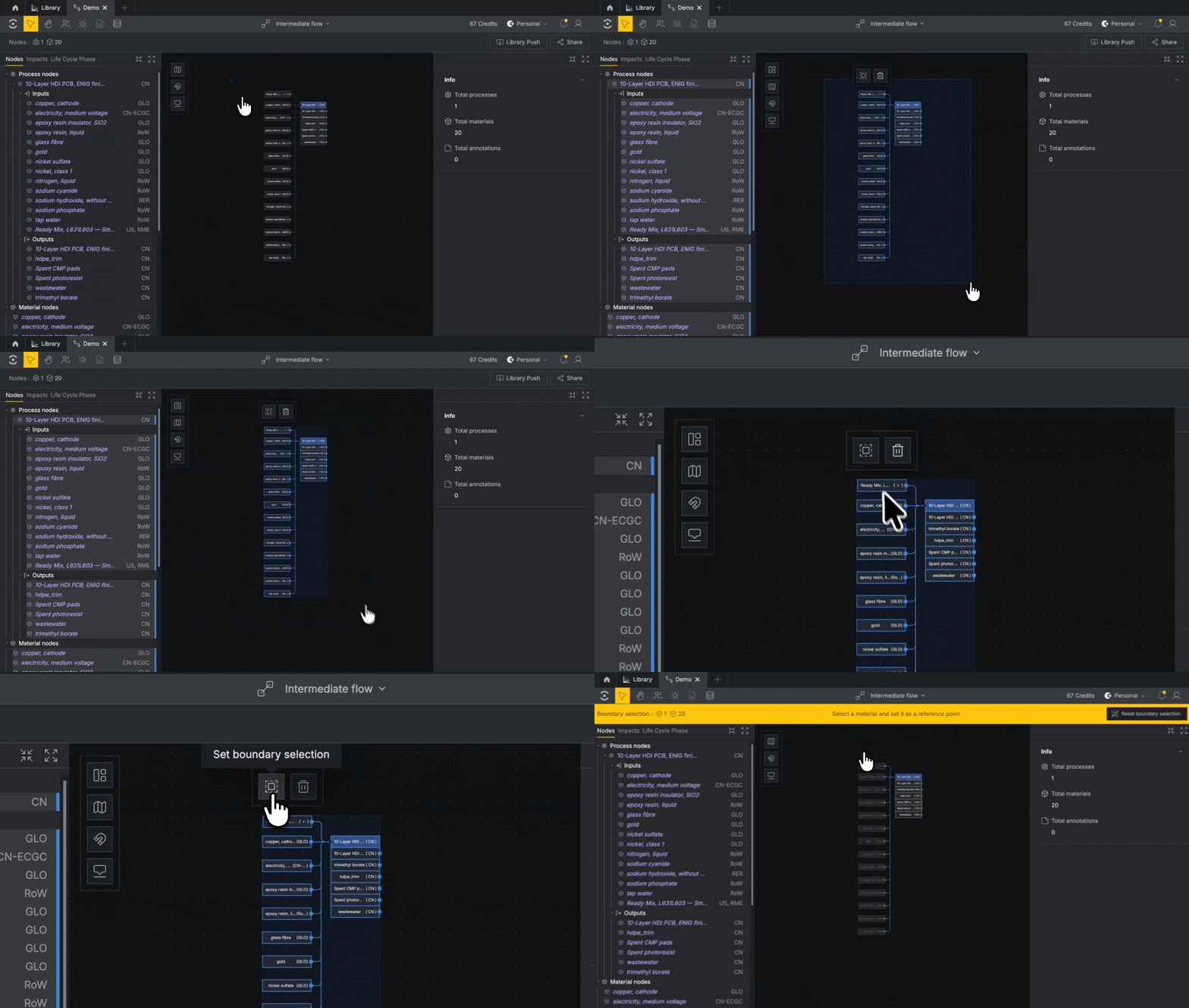
Click on the canvas and drag-select over the nodes you'd like to include. Selected nodes will be highlighted. Once you've made your selection, click Set boundary selection in the hovering button menu to establish the boundary.
To add or remove individual Material nodes from the boundary, click a node and select Remove from boundary selection from the button menu hovering above your selection.
Set Reference Point#
A Reference Point is a Material node the entire model is normalized to — in most cases, this will be your Functional Unit.
With your boundary set, select the Material you’d like to use and click Set reference point from the hovering button menu.
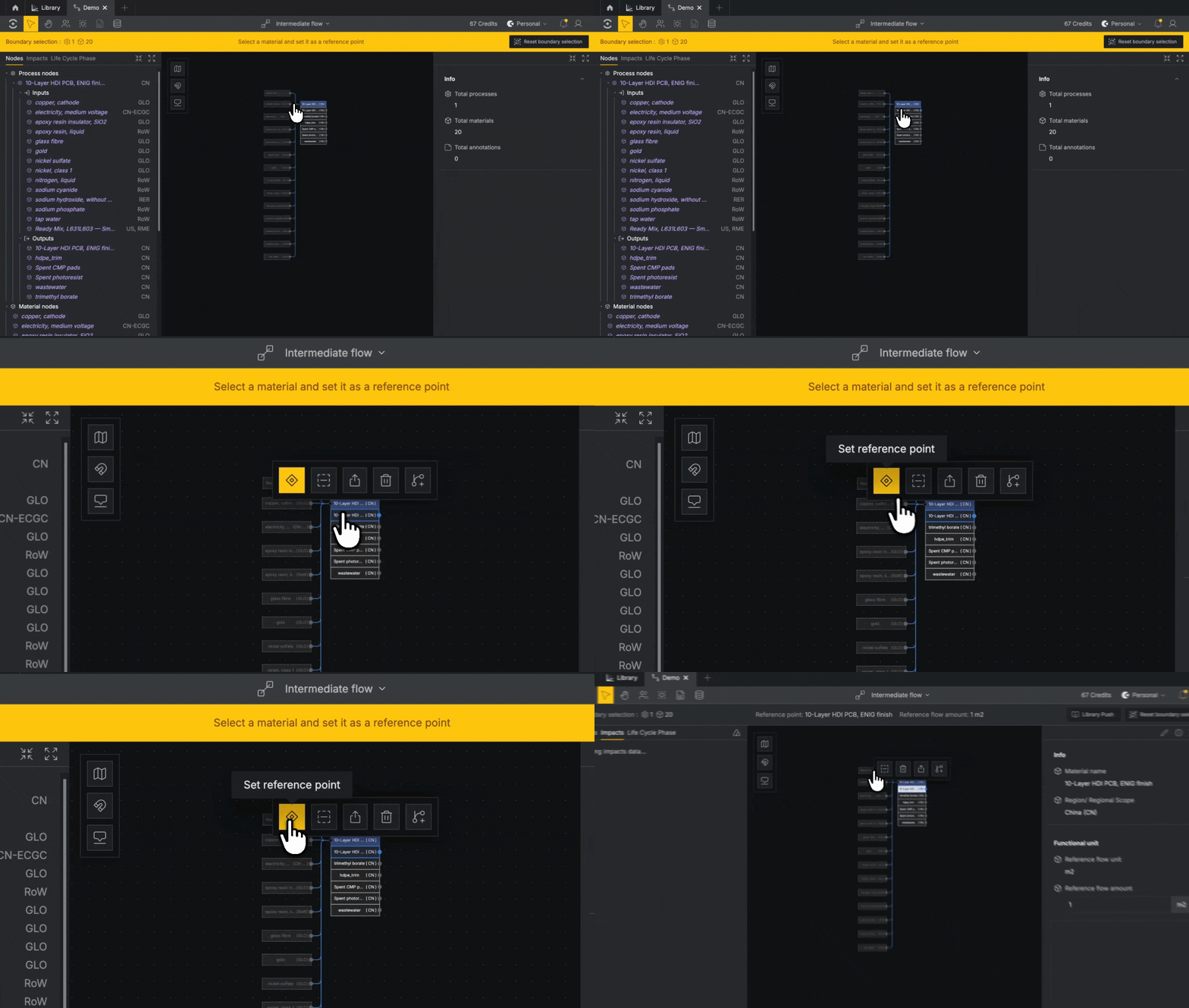
All the Processes in your graph are now normalized, i.e. scaled to the appropriate quantities per unit of your Reference Point.
