Allocation Scenarios#
In Gesserit, Processes may have multiple allocatable outputs.
When the System Boundary excludes one or more of these outputs, Gesserit determines how much of the environmental burden is attributed to those outputs. This is done through allocation, where the impacts are distributed to the outputs based on their properties.
When an allocation scenario occurs, the elementary exchanges of the Process are distributed among the allocatable outputs.
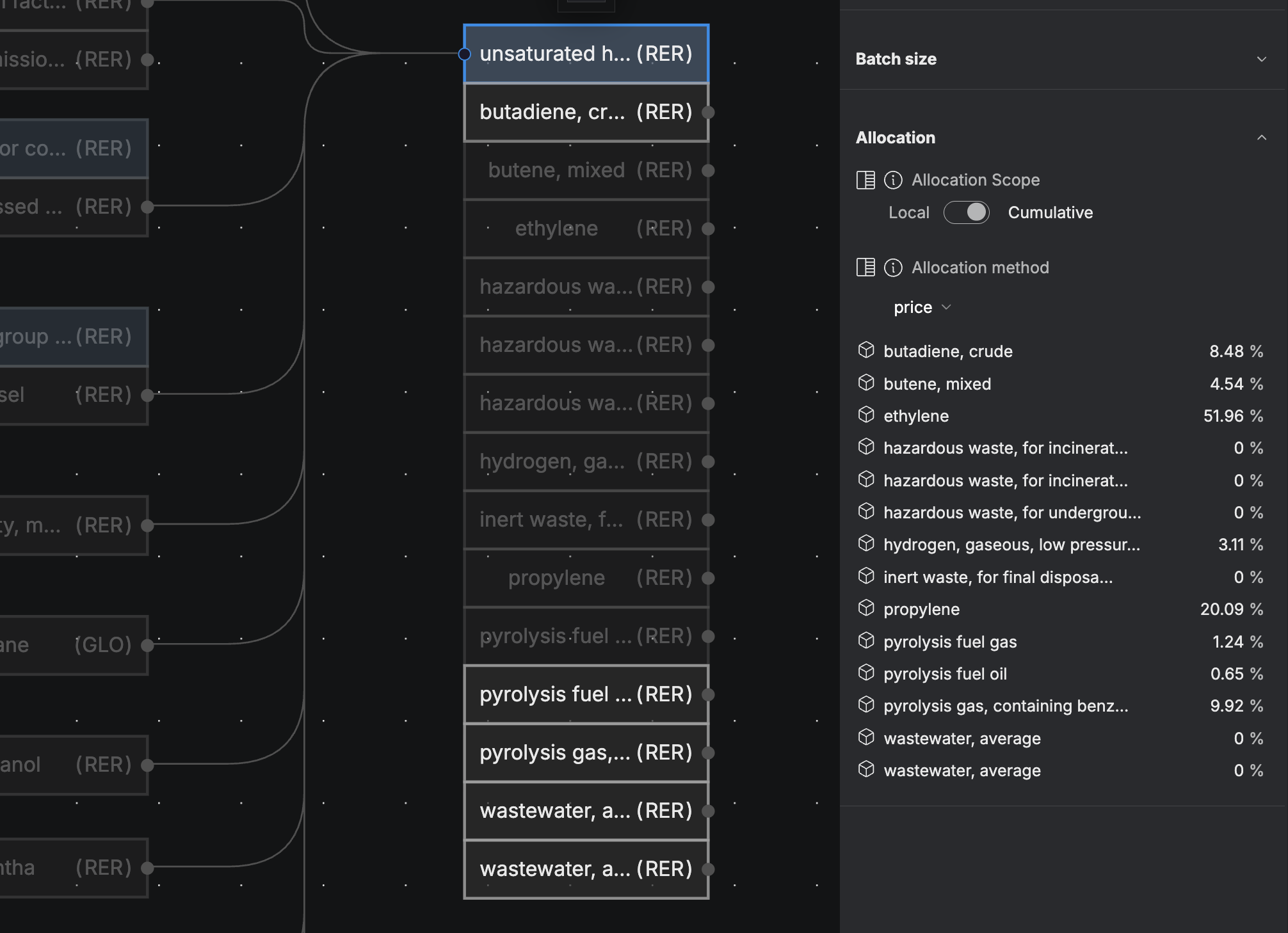
Allocation happens automatically when at least one output from a multi-output Process is excluded from the System Boundary. The exchange quantities are divided based on a property of the outputs — this property is used to calculate the allocation ratio.
You can view the allocatable outputs and the allocation ratio by selecting a multi-output Process node and scrolling to the "Allocation" section in the right-hand panel.
Allocation Keys#
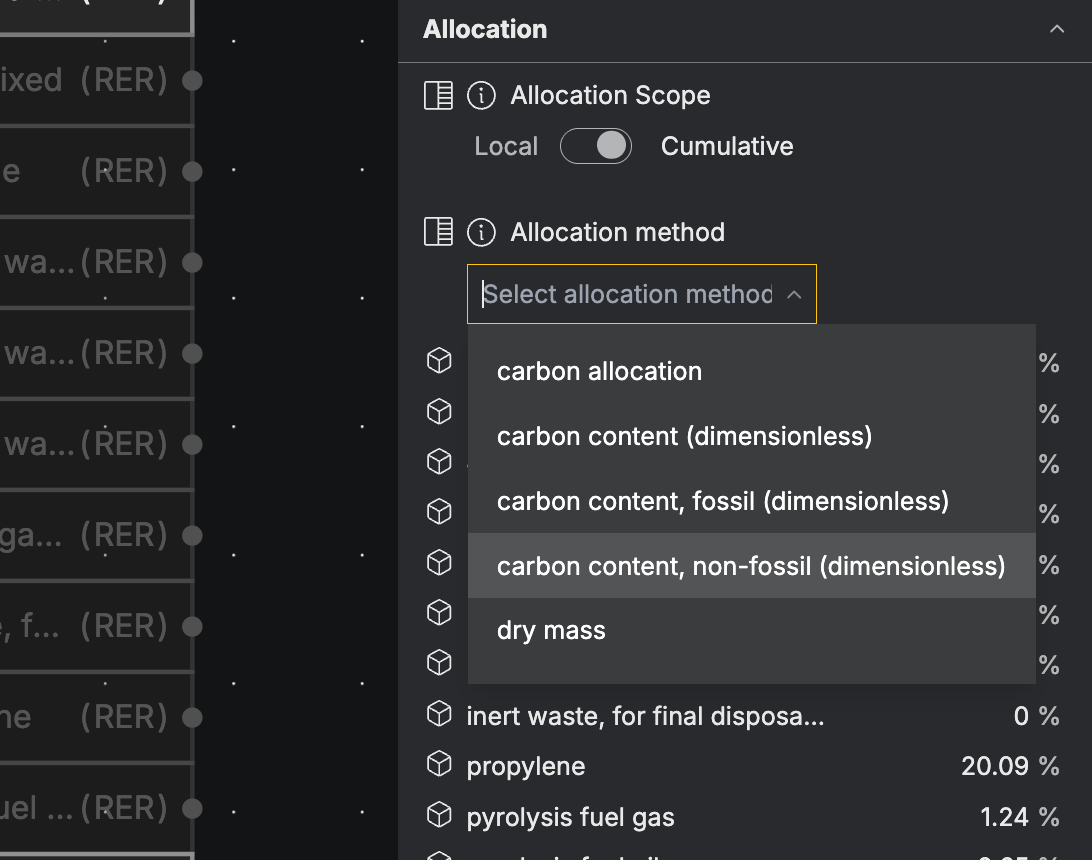
You can control which property is used to perform allocation. This property is known as the Allocation Key. Choosing an Allocation Key allows you to apply the most suitable allocation method and compare how sensitive your results are to different allocation approaches.
The allocation key can be viewed & edited by clicking on the multi-output Process node and scrolling to the “Allocation” section in the right panel.
Only outputs that have the property chosen as the Allocation Key will receive allocated elementary exchanges. These are called allocatable outputs. Outputs that do not have this property will be excluded from the allocation.
You can see which Properties each output has by clicking the output node and scrolling to the “Properties” section in the right panel.
You can modify property values or add new ones at any time in the graph to customize the allocation ratio.
Formula#
Example Calculation#
Truck transportation process outputs Watermelons, Lettuce, and Apples.
The flow being allocated is 5 L of Diesel fuel used to fuel the truck.
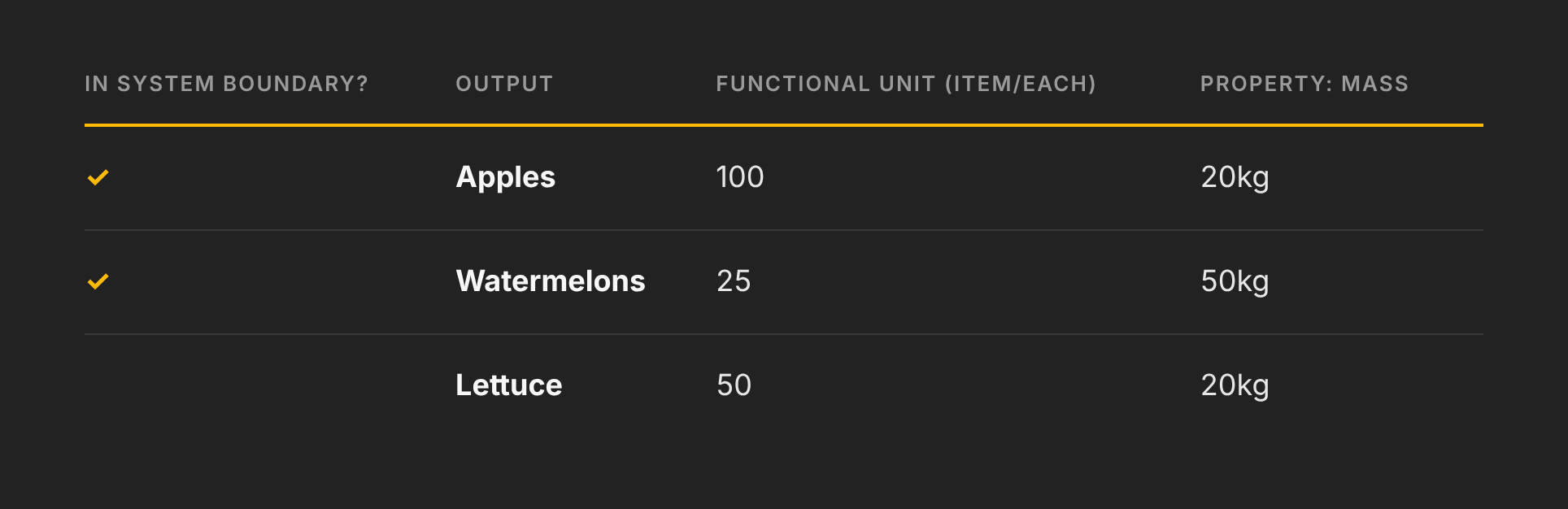
- Assuming Mass is being used as the Allocation key, all outputs are Allocatable outputs: Apples, Watermelons & Lettuce.
- Total Property Sum = 20kg + 50kg + 20kg = 90kg
- Divide each Property value by the Property sum, as below:
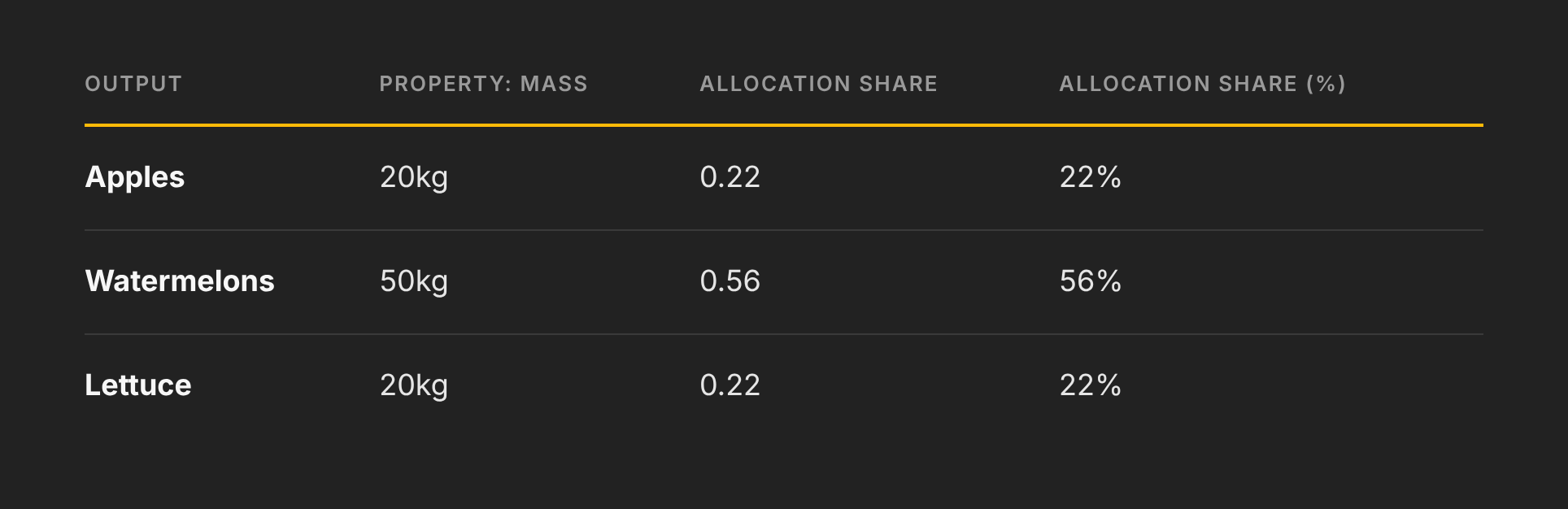
- Multiply the allocated flow by the Allocation share for each output to determine the quantity of the flow allocated to each output.
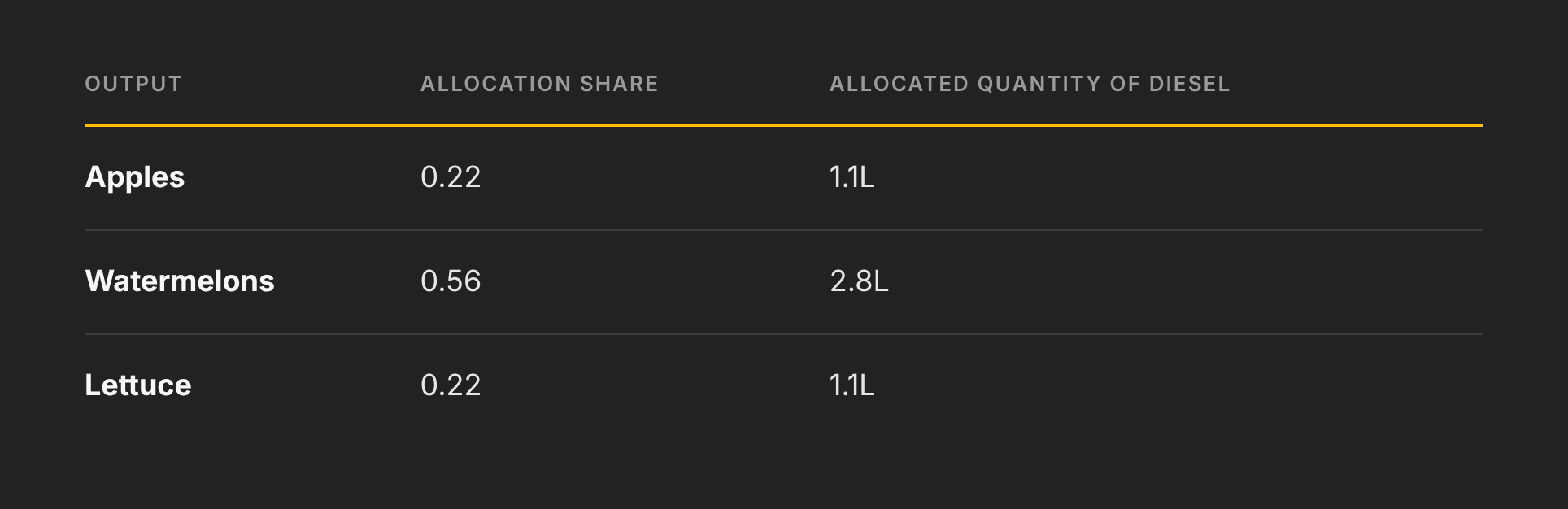
5. The share of the Diesel allocated to the outputs in the boundary, Apples (1.1L) and Watermelons (2.8L) are included in the Life Cycle Inventory (characterized).
The share allocated to the Lettuce (1.1L) is excluded from the Life Cycle Inventory.
The total quantity of Diesel from this Process which is characterized is 3.9L.
Local vs. Cumulative Allocation#
The Process Allocation section features a toggle to switch between Local or Cumulative Allocation.
All Processes are set to Cumulative Allocation by default.
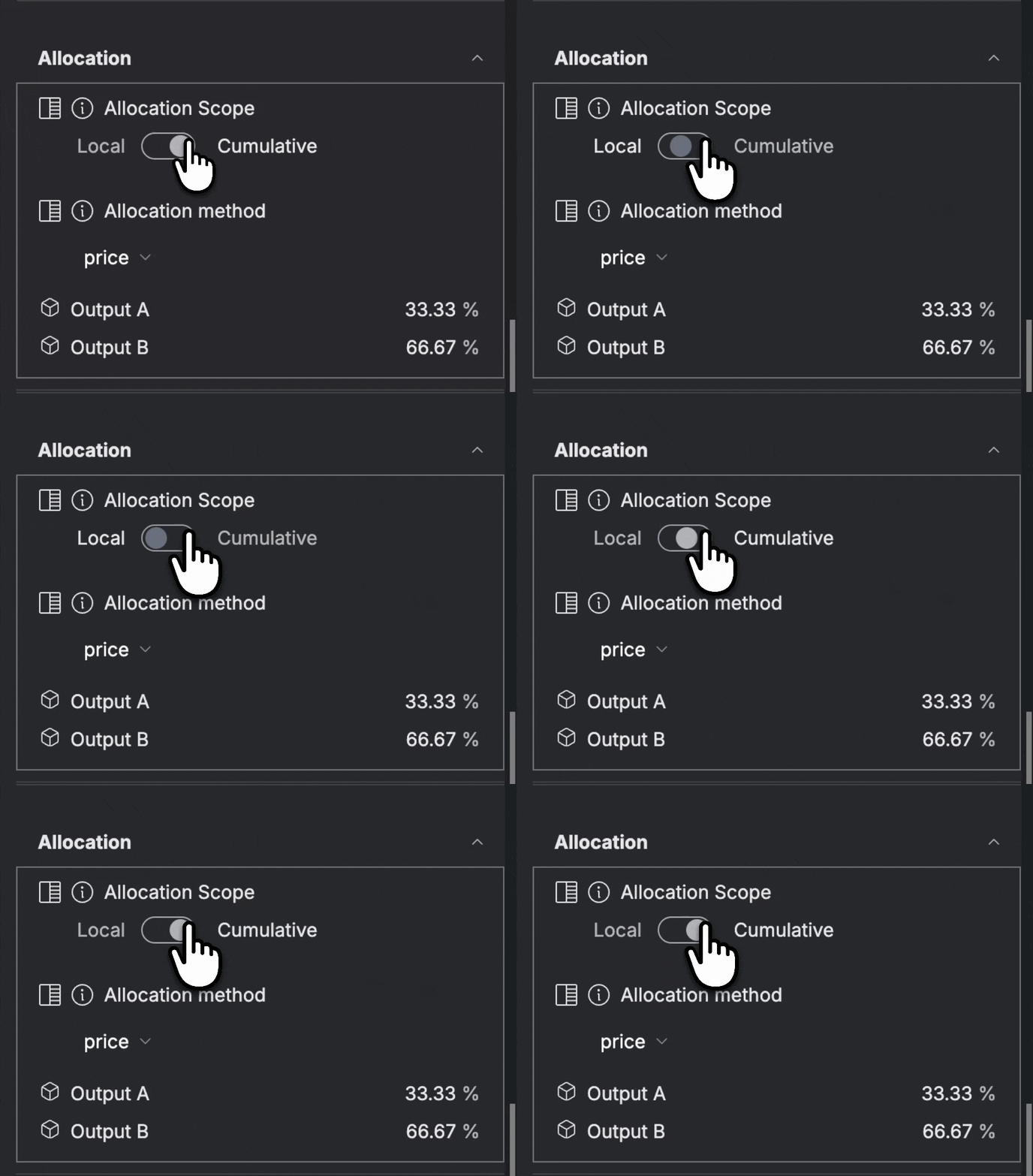
Local allocation means only the elementary exchanges which belong to the multi output Process itself are allocated.
Example
Shirts and pants are made in separate factories, but transported on the same truck the same distance.
In the case of an LCA on Pants, the user wants to include the whole impacts from Pants Production but only the impacts from Truck Transport that are allocated to the Pants. (Shirt Production has been removed from the boundary).
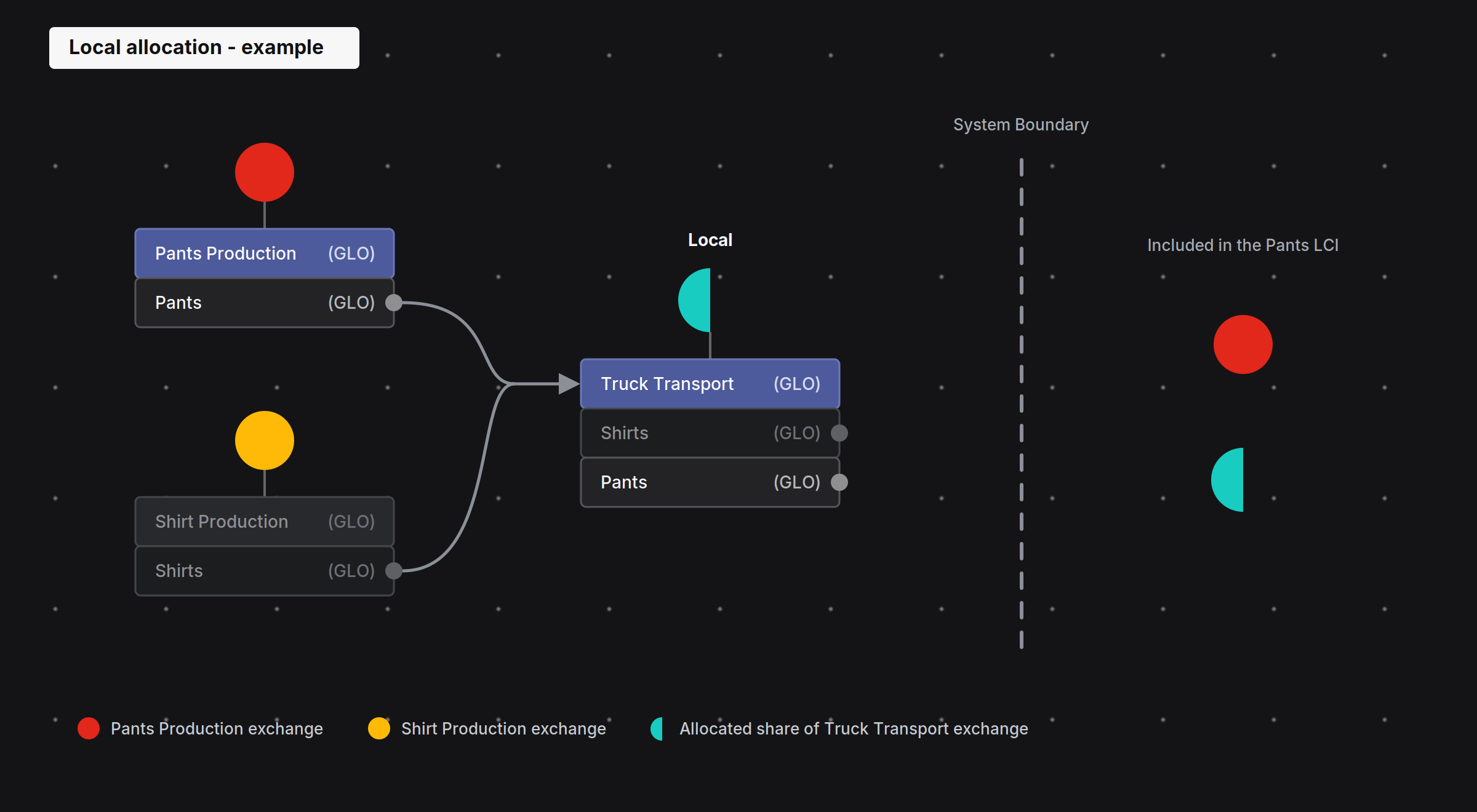
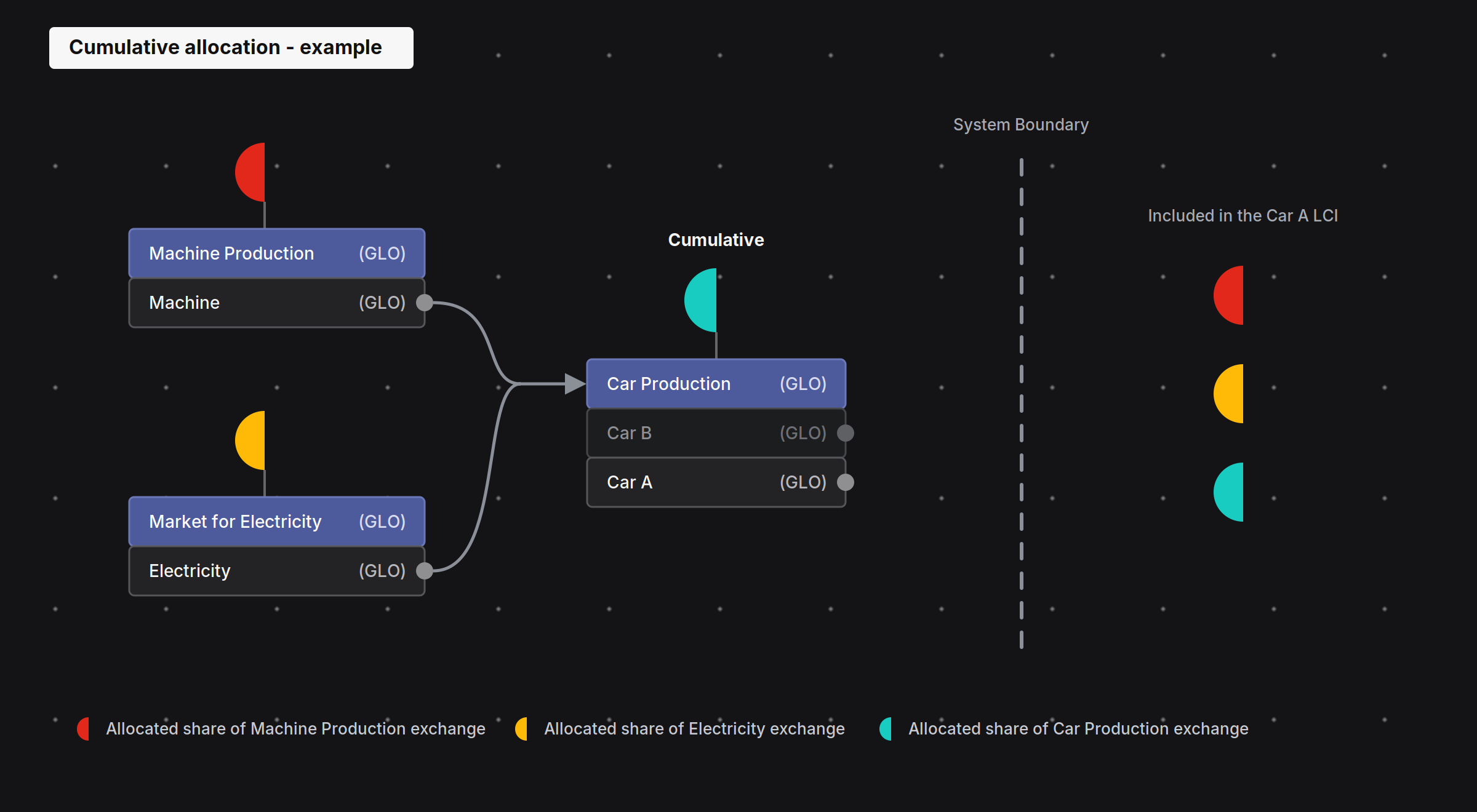
Cumulative allocation means the elementary exchanges of everything upstream of the multi output Process are allocated in addition to the exchanges from the Process itself.
Example
A Car factory uses a machine and electricity to build two types of cars.
In the case of an LCA on Car A, the user wants to include the impacts of both the production of the Machine and the generation of the Electricity, however only the proportions of those inputs which were used in the development of Car A.
Therefore, those inputs should be discounted by the allocation share so as not to include the share of the Machine or Electricity impacts that were used to build Car B.