
Overview#
Publishing makes your data available in Circa’s Library so other users can discover it, add it to models, and license it.
You can publish data directly within the Library tab, or publish a graph you’ve created in a Gesserit.
Publication Methods#
Choose a publication method when publishing data to control access & decide if you’d like to earn revenue.
| Publication method | Who can discover it in Library search? | Do other users need to pull to see licensed values? | Publisher earnings | Cost to publish | Notes |
|---|---|---|---|---|---|
| Private | Only the publisher (and the publisher’s Team) | N/A | None | None | You can later make a private record public. |
| Monetize | Everyone | Yes | Set by the publisher. Earns the same number of credits the licensee is charged. Pulls are charged per component: per property for Materials; per Batch (exchange quantities) and per set of impact values for Processes. | None | Team-owned records are available freely to all team members. Revenue credits are added to the team account. You can change Monetize → Open-Access later. |
| Open-Access | Everyone | No | None | Material: 5 credits. Process: 10 credits. | You cannot change Open-Access → Monetize. |
Publish from the Library#
Use these steps to publish a Material or Process from within the Library tab.
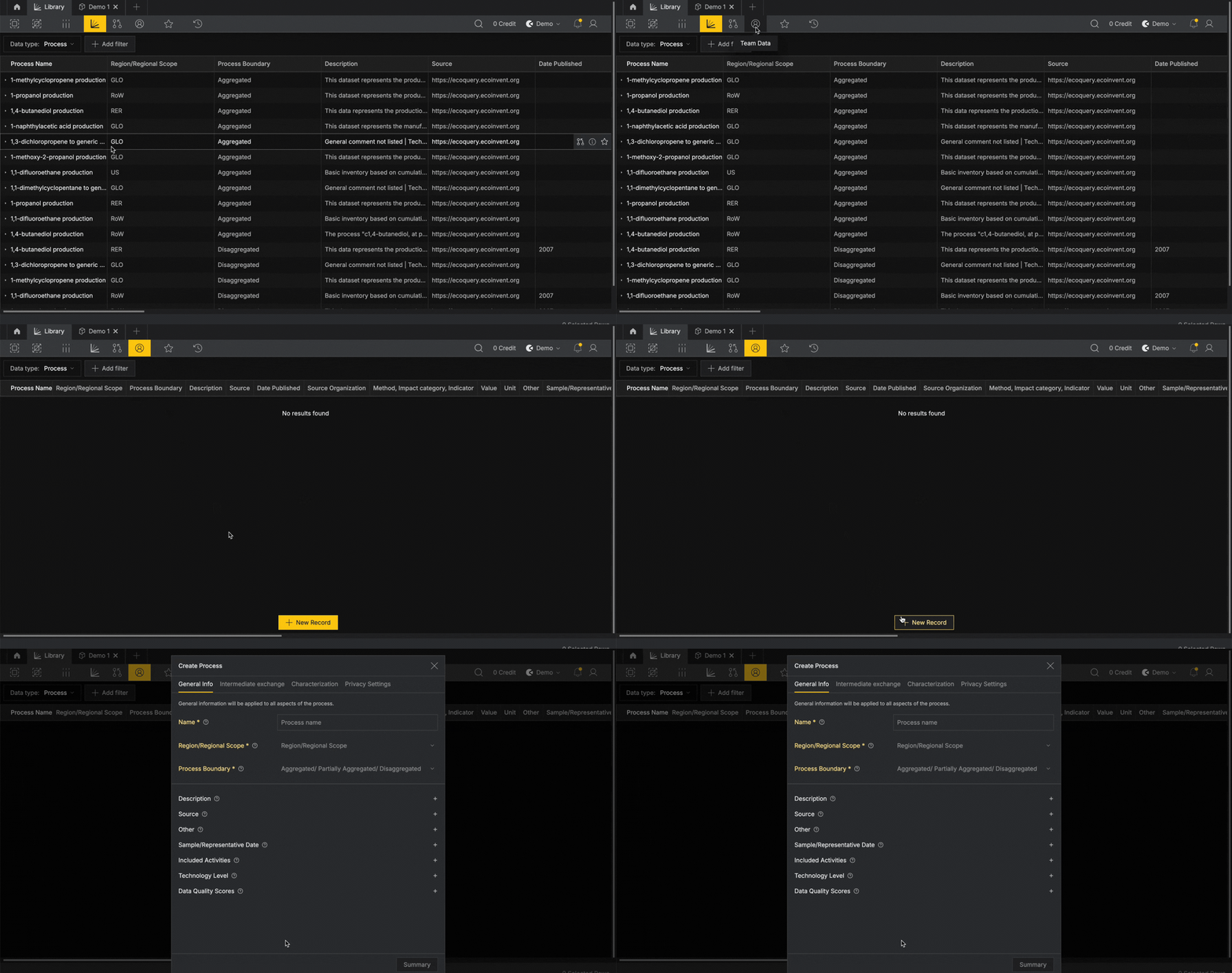
Navigate to the Library and switch to the Team Data tab. Use the Data Type filter at the top bar to select either Material or Process, then click + Create new
Complete the required fields, then choose a publication method (see above). Click confirm to publish.
Publish directly from Gesserit#
Use these steps to publish content you created or assembled in a Production Graph.
You can publish individual materials, processes, groups of nodes as one aggregated process, aka a "Node System" or your entire graph.
Publish an Individual Node#
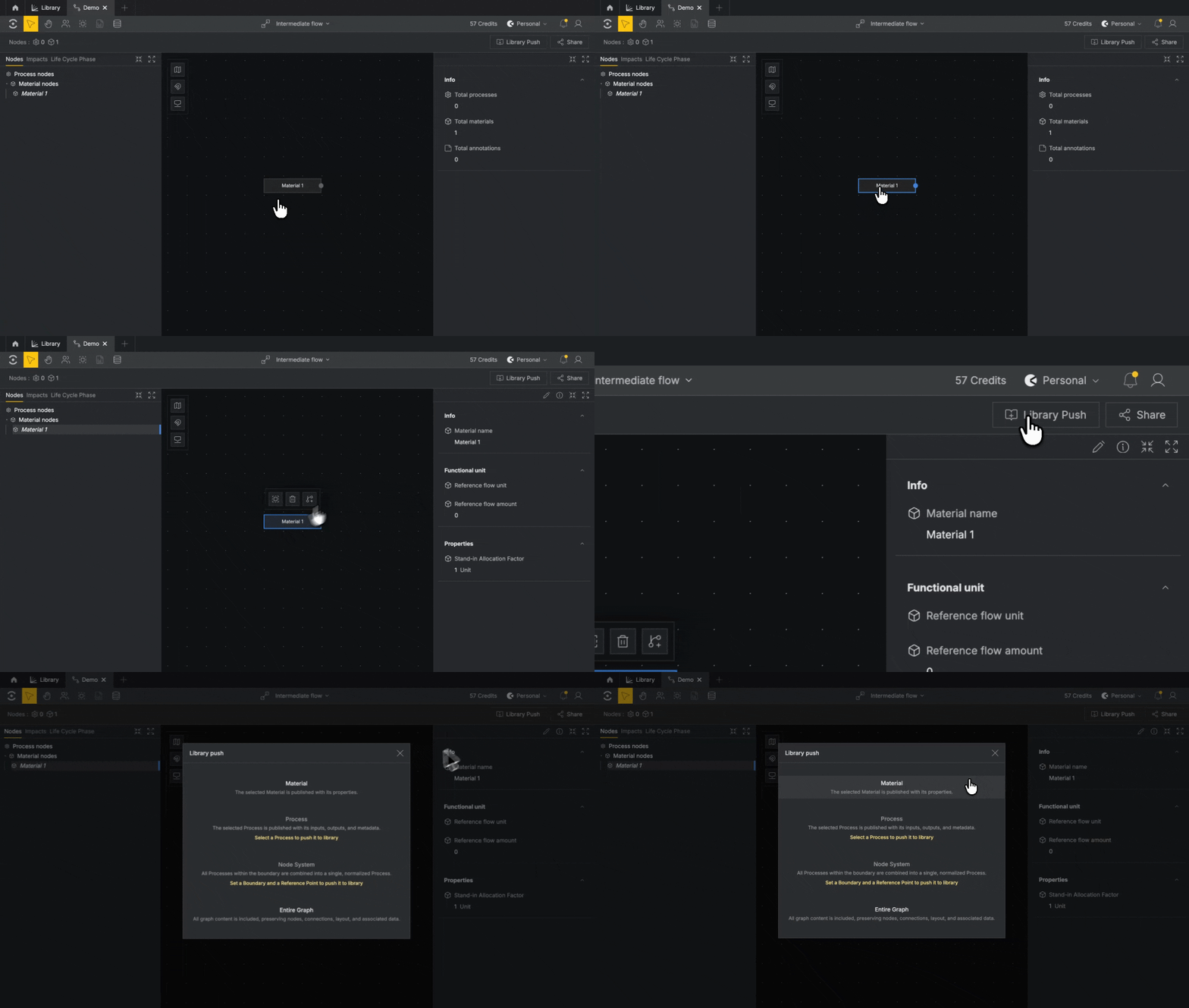
- From your Production Graph, select either the a Material or Process node.
- Click
Library Pushin the top right corner of the right panel. - Review or edit the required fields.
- Choose a Publication method (see above).
- Click
Create MaterialorCreate Processto publish.
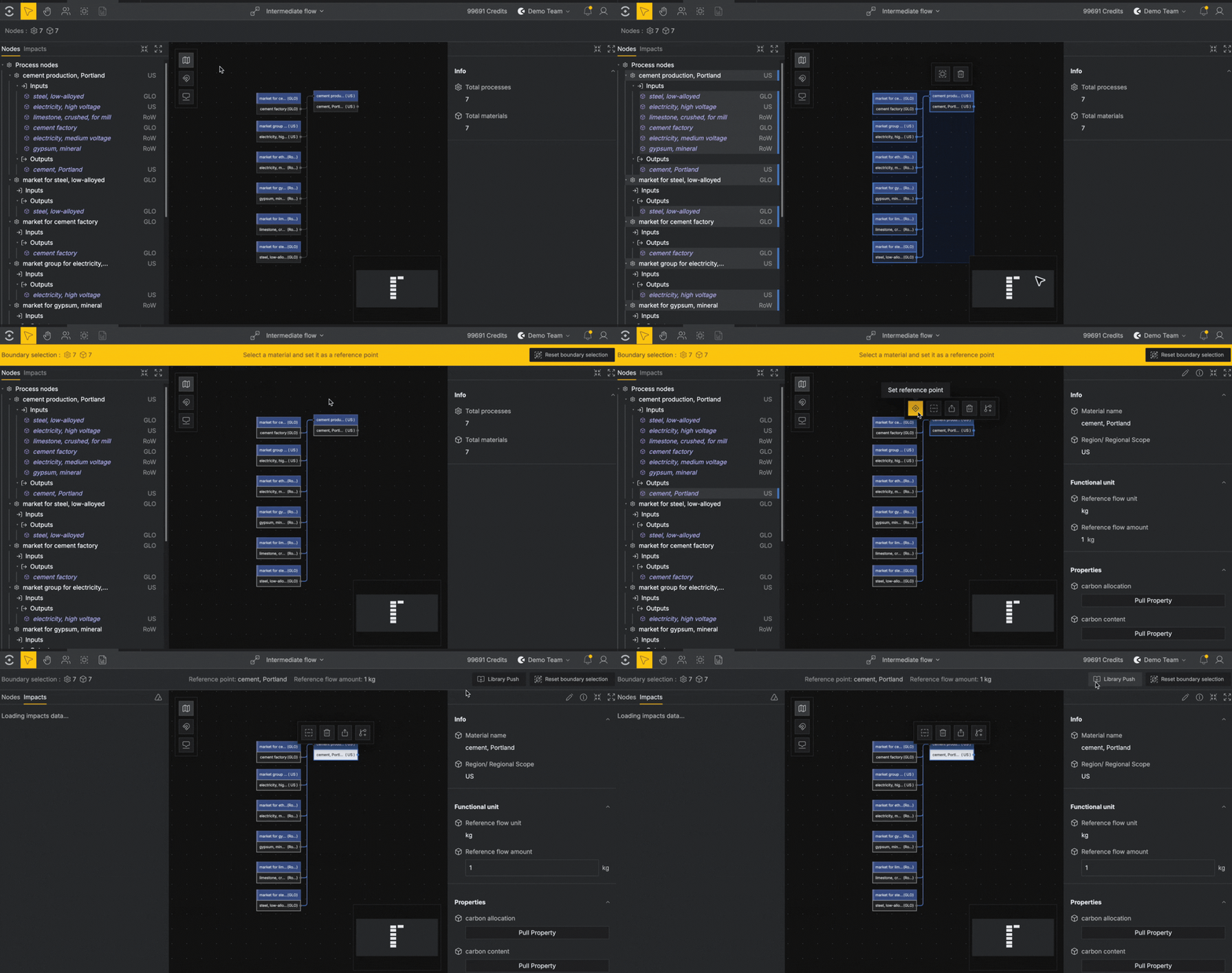
Publish a Node System#
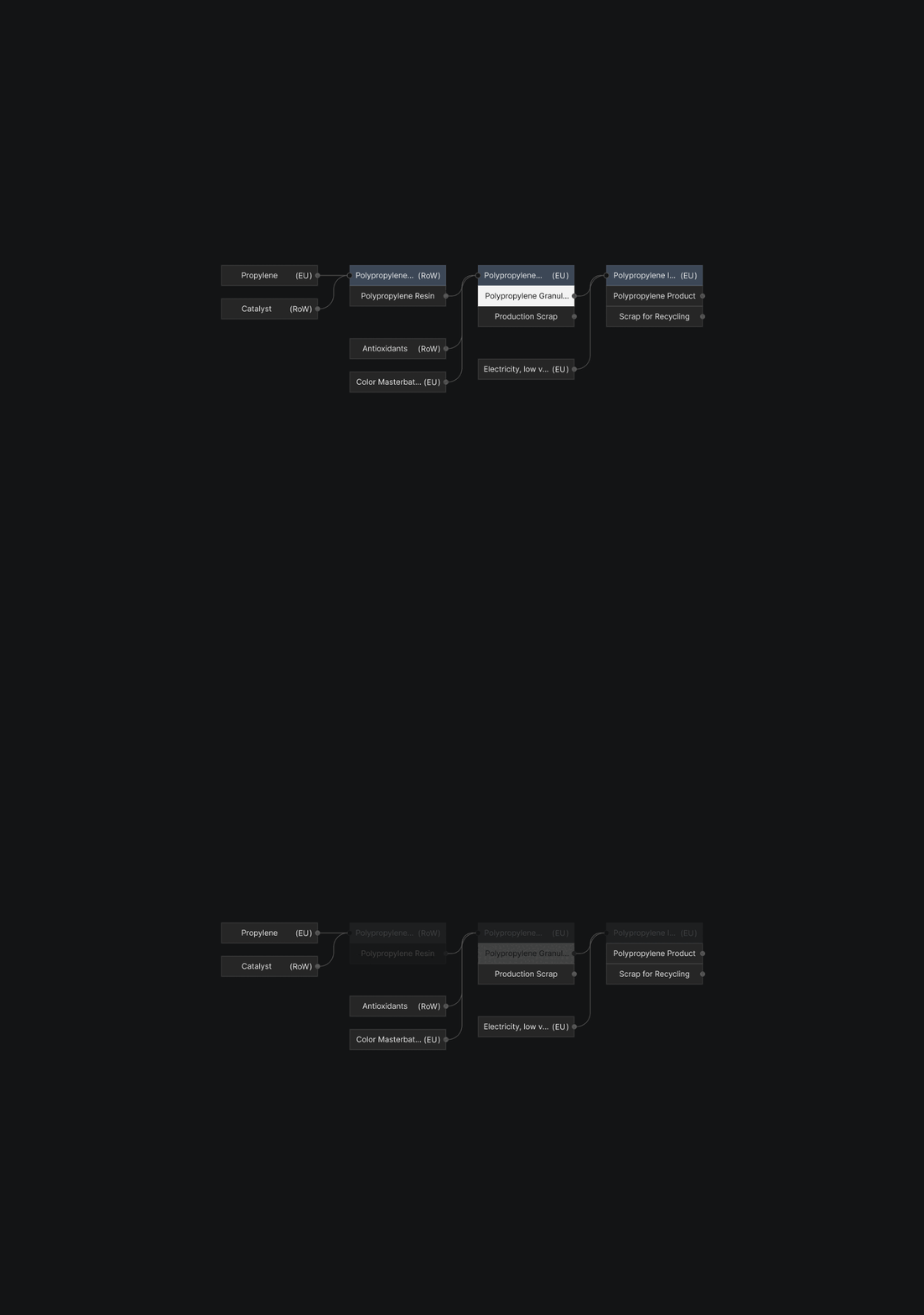
A Node System is a connected group of successive Processes in your Production Graph that Circa publishes as one unified Process in the Library.
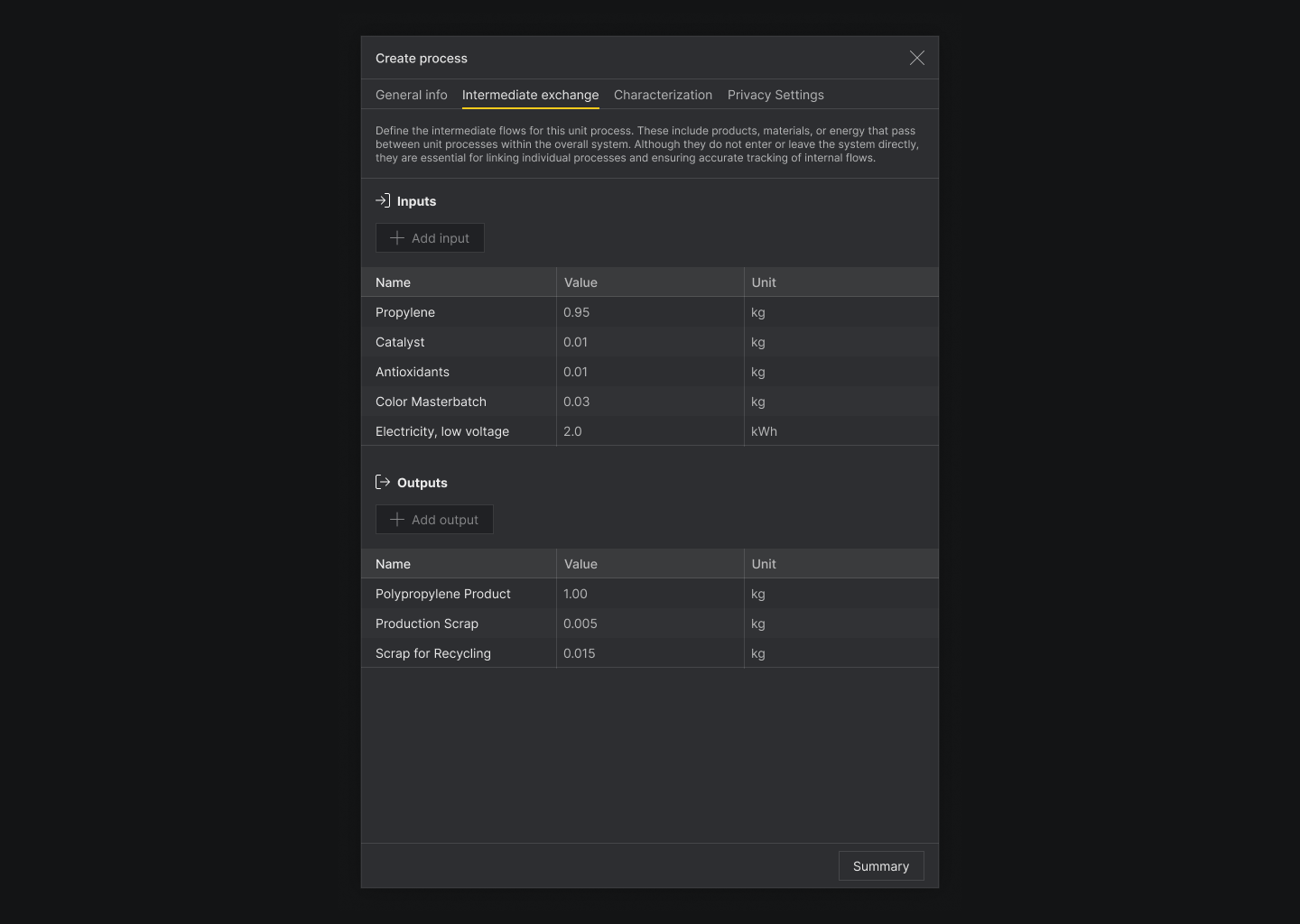
Intermediate exchanges that are complete flows inside the boundary are not included as exchanges of the unified Process.
To publish a Node System:#
- Create a boundary selection that includes the connected processes you want to publish.
- Select a reference point.
- Choose
Publish Node Systemthe top left corner of the right panel. - Review or edit the required fields.
- Choose a Publication method (see above).
- Click
Create Processto publish.
To publish an entire Graph#
Publishing a graph makes your entire model available for others. The graph is can be opened by others as an exact copy with all your nodes, connections, edits and annotations.
You must have Developer permissions to publish a graph.
- Click the Library Push button
- Select
Entire Graphas the push type. - Enter a description and select a Reference Point (material from graph)
- Choose a Publication method (see above).
- Click
Publish.
Once published, the published version of the Graph cannot be edited. Instead, you may edit the original graph and re-publish or delete the published version.
